Trackersnap, the making of

Winkletter • 24 Jan 2026 •
I vibe coded my first app of 2026. It’s called Tracker Snap and it adds progress bars to online posts.
If that worked, my Markdown-coded image was rendered with the data I hard-coded into the image URL. This is a stateless app that doesn’t need user management or databases. My website renders the image based on the parameters passed to it in the URL. If anyone wants to try it instructions are included below after the images. Minimum viable vibe-coded app. No warranty, but I’ll happily consider any suggestions.
But first I have to plug NotebookLM once again.
Vibe coders! How often has this happened to you? You code an app. It runs fine. And then you realize you’ve learned nothing and you don’t know what you just did. That’s vibe coding into the void. This is where NotebookLM can help.
- Copy your coding session into NotebookLM
- Generate audio, video, and slide presentations
- Use the results to understand what you just did
It’s just that easy!
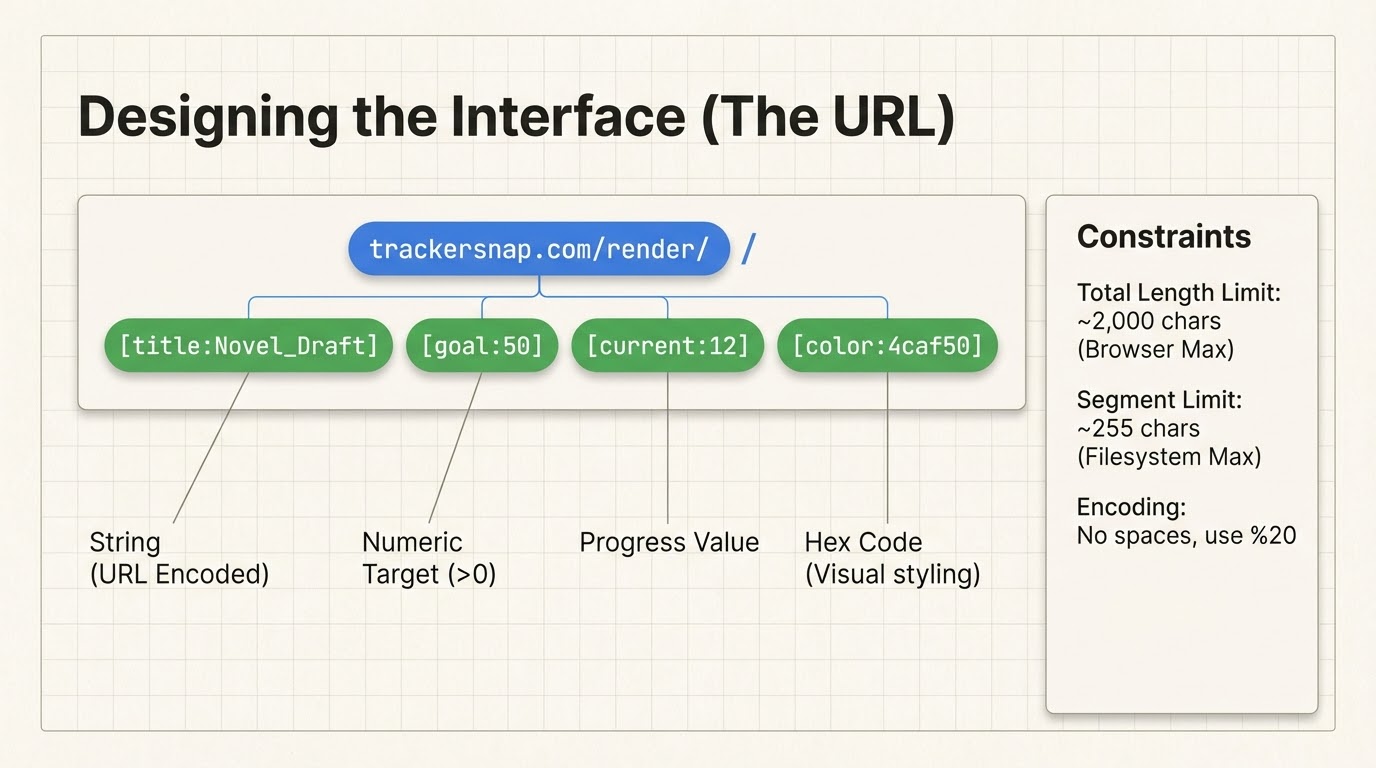
Slide from a Slide Deck
I generated a slide deck that included many helpful images like this one that shows how the IMG is encoded.
Video Explainer
The video explainer gives me an overview of the whole project based on the chat log. The audio summary was even more thorough.
And I had it generate some instructions.
How to Include a Tracker Snap Progress Bar
To add a progress bar to your posts, use the standard Markdown image syntax. Since the image is generated dynamically from the URL, you simply “write” your data into the link.
Basic Syntax

Parameters
The URL is built using key-value pairs separated by colons (
:). You can include the following segments in any order after/render/:
Parameter Description Example title The name of your goal. title:Daily_Writinggoal The target number (must be greater than 0). goal:5000current Your current progress. current:1250unit The label for what you are measuring. unit:wordscolor The Hex code for the progress bar (no # symbol). color:4caf50
Important Rules & Warnings
1. Character Restrictions
Because the system uses colons (:) and slashes (/) to understand the data, do not use these characters inside your title or unit names. For example, instead oftitle:Chapter:1, usetitle:Chapter_1.2. Handling Spaces
Markdown URLs do not support literal spaces. Replace spaces with an underscore (_).
- Works:
title:Short_Stories- Fails:
title:Short Stories